%202.png)
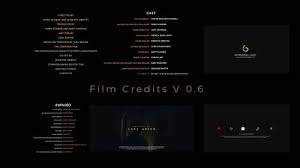
The Ultimate Guide to Film End Credits Format
You just wrapped your film. The final scene fades to black. And then… nothing. No credits.
That's a mistake more filmmakers make than you'd think.
Whether you're a seasoned director, an indie filmmaker, a YouTuber, or a video editor — understanding the proper end credits format isn't just a formality. It's a professional obligation. It tells the world who made your film, protects your crew legally, and gives your project a polished, cinematic finish.
In this guide, you'll learn everything you need to know about the end credits format — from the correct order of names to industry standards, common mistakes to avoid, and tools that make the process effortless.
Let's roll.
What Is an End Credits Format?
Quick Definition: An end credits format is the standardized structure used to list the cast, crew, and contributors at the end of a film, TV show, or video project. It follows a specific order, typography, and pacing recognized across the film industry.
End credits aren't random. Every line, every name, every title placement follows a convention — a language the film industry has refined over decades.
The film closing credits format is designed to:
- Give proper attribution to every contributor
- Fulfill union and guild contractual obligations
- Provide copyright and licensing information
- Acknowledge sponsors, locations, and special thanks
- Deliver a professional, cinematic experience to the audience
Whether you're creating a Hollywood blockbuster or a short YouTube documentary, using the right closing credits format signals that you take your craft seriously.
Why Does End Credits Format Matter?
A lot of creators skip proper credits or throw them together randomly. That's a costly mistake — and here's why it matters more than most people realize.
- Legal and Contractual Obligations
Union productions (SAG-AFTRA, DGA, WGA, IATSE) often have strict contractual rules about how crew members must be credited. Getting this wrong can expose you to legal liability.
- Professional Credibility
A sloppy credits roll tells festival programmers, distributors, and clients one thing — this filmmaker doesn't pay attention to detail. A clean, properly formatted credits sequence signals professionalism.
- Crew Morale and Relationships
Your crew worked hard. Misspelling a name or misattributing a role is an insult — and it's the kind of thing that follows you in the industry.
- Copyright Protection
End credits include copyright notices, MPAA ratings, music licensing, and stock footage attributions. These protect you legally if your content is ever disputed.
The Standard Film End Credits Format: Section by Section
Here is the industry-standard movie end credits format, broken down into its core sections in the correct order.
Section 1: Cast (Principal and Supporting)
The credits typically begin immediately after the final scene with the cast list.
Order:
- Lead actors (above-the-line talent, often presented first)
- Supporting cast
- Day players and cameos
- Voice actors (if applicable)
- Stunts
Section 2: Casting
text
Casting by
[Casting Director's Full Name]
Section 3: Music Credits
Music is one of the most legally sensitive areas in any production. This section includes:
- Music Composed by — Original score composer
- Music Supervisor — (if applicable)
- Songs — Title | Artist | Publisher | Performance rights organization (PRO)
- Licensed Music — Every track, its publisher, and licensing body (ASCAP, BMI, SESAC)
This section can be lengthy on productions with heavy music usage.
Section 4: Production Design and Art Department
text
Production Designer: [Name]
Art Director: [Name]
Set Decorator: [Name]
Props Master: [Name]
Section 5: Costume and Makeup
text
Costume Designer: [Name]
Wardrobe Supervisor: [Name]
Key Makeup Artist: [Name]
Key Hair Stylist: [Name]
Section 6: Post-Production Team
text
Editor: [Name]
Assistant Editor: [Name]
Visual Effects Supervisor: [Name]
Colorist: [Name]
Sound Designer: [Name]
Re-Recording Mixer: [Name]
Dialogue Editor: [Name]
Section 7: Camera and Lighting Department
text
Director of Photography: [Name]
Camera Operator: [Name]
First Assistant Camera: [Name]
Gaffer: [Name]
Best Boy Electric: [Name]
Key Grip: [Name]
Best Boy Grip: [Name]
Section 8: Sound Production
text
Production Sound Mixer: [Name]
Boom Operator: [Name]
Section 9: Location and Production Services
text
Location Manager: [Name]
Production Coordinator: [Name]
Section 10: Production Assistants and Support Staff
This is where PAs, runners, interns, and other support staff are listed — often alphabetically within their departments.
Section 11: Special Thanks
A flexible section where you acknowledge:
- Locations and businesses
- Investors and financiers
- Advisors, mentors, and collaborators
- Families of the crew
- Supporters and sponsors
Section 12: Legal, Copyright, and Disclaimer Notices
text
© [Year] [Production Company Name]. All Rights Reserved.
This film is a work of fiction. Any resemblance to actual events
or persons, living or dead, is entirely coincidental.
No animals were harmed in the making of this film.
Filmed on location in [City/Country].
Section 13: Production Company and Distribution Logos
The final frames of any credits sequence typically feature:
- Production company logo/card
- Distribution company logo
- Financing entity acknowledgment
- Any co-production partners
Film Credits Format: Hollywood vs. Indie vs. YouTube
The film closing credits format isn't one-size-fits-all. It varies significantly depending on the type of production.
Rolling Credits vs. Static Credit Cards: Which Format Is Right for You?
One of the biggest formatting decisions you'll make is whether to use rolling (scrolling) credits or static credit cards.
Rolling Credits (Scrolling Credits)
Rolling credits scroll vertically up the screen — the most traditional and cinematic format.
Best for:
- Feature films
- Short films for festivals
- TV shows and series
- Any project aiming for a cinematic finish
Advantages:
- Fits a large number of names
- Industry-standard and professional
- Creates a natural viewing experience
🎬 Want to create smooth, professional scrolling credits in minutes? Try Scrollx's Rolling Credits Generator — designed for filmmakers who want Hollywood-quality results without the hassle.
Static Credit Cards
Static cards display credits one screen at a time, holding each card for a few seconds.
Best for:
- YouTube videos
- Short-form content
- Explainer videos and corporate productions
Advantages:
- Easy to read
- Works well for shorter credit lists
- Simpler to produce
Typography and Design Standards for End Credits
The visual presentation of your credits matters just as much as the content.
Font Recommendations
Key Design Rules
- Font size: Minimum 24pt for legibility on a standard screen
- Line spacing: 1.5x to 2x for comfortable reading
- Color: White text on black background is the industry standard
- Scroll speed: 80–120 pixels per second is the comfortable viewing range
- Alignment: Left-aligned for long lists; centered for individual cards
💡 Pro Tip: Avoid decorative or hard-to-read fonts. Credits are functional first, decorative second.
Step-by-Step: How to Format End Credits for Your Film
Follow these steps to create a clean, professional end credits format for any project.
Step 1: Collect All Contributor Information
Before you format anything, gather:
- Full legal names of all cast and crew
- Correct job titles (use industry-standard terminology)
- All music licensing details
- Production company information
- Copyright year and owner
Step 2: Organize by Department
Group names by department in the standard order outlined above. Use a spreadsheet to organize everything before moving to a credits tool.
Step 3: Choose Your Format Style
Decide between rolling scroll or static cards based on your project type and platform.
Step 4: Select Your Typography
Choose a clean, legible font. Stick to one or two typefaces maximum. Consistency is key.
Step 5: Build Your Credits
Use a dedicated credits creation tool — like Scrollx's End Credits Maker — to build your credits professionally. Manual editing in video software is time-consuming and error-prone.
Step 6: Set Scroll Speed and Timing
Test your scroll speed. Have someone read the credits in real-time. If they struggle to keep up, slow it down.
Step 7: Export and Integrate
Export in the correct resolution for your project (1080p, 2K, or 4K) and integrate into your timeline.
Step 8: Final Review
Always do a final pass to:
- Check all spelling carefully
- Verify every name is present
- Confirm all legal notices are included
- Test playback at final resolution
Common Mistakes to Avoid in End Credits Format
Even experienced filmmakers fall into these traps.
❌ Misspelling Names
There is no faster way to insult a crew member. Triple-check every single name.
❌ Missing Music Credits
Unlicensed or uncredited music can result in content strikes, takedowns, or legal disputes — especially on platforms like YouTube and Vimeo.
❌ Wrong Job Titles
Using informal or made-up titles (like "Camera Dude") looks unprofessional. Stick to industry-standard terminology.
❌ Credits That Are Too Fast
If viewers can't read the names, there's little point in including them. Respect your crew enough to let their names be read.
❌ Forgetting Copyright Notice
Your copyright notice protects your intellectual property. Never leave it out.
❌ Inconsistent Formatting
Mixing fonts, sizes, and alignment styles throughout your credits looks chaotic and amateur.
Expert Tips for Professional-Quality End Credits
Here are advanced tips that separate amateur credits from professional ones.
✅ Use a dedicated end credits tool — Don't try to build credits manually in your NLE. Use purpose-built tools like Scrollx that are designed for exactly this workflow.
✅ Follow guild-specific rules — If any of your cast or crew are union members, review the specific credit obligations for that union before finalizing.
✅ Match your credits to your film's tone — A horror film might use stark, minimal credits. A romantic drama might use softer, elegant typography.
✅ Add a mid-credits or post-credits scene — If your project has a bonus scene, format a "brief pause" in your credits to build anticipation.
✅ Use consistent credit templates — If you're producing a series, use the same credits format across every episode for brand consistency.
✅ Export at the highest resolution possible — Credits are text-heavy; compression artifacts on text look terrible. Always export at the highest resolution your platform supports.
Real-World Use Cases: End Credits Across Different Formats
Feature Film (Festival Submission)
A 90-minute indie drama submitting to Sundance needs full rolling credits, complete music licensing acknowledgments, union credit blocks (if applicable), and a proper copyright notice. Typically 3–5 minutes of credits.
YouTube Documentary
A 25-minute YouTube documentary needs clean, readable credits — but doesn't need to run 4 minutes. A 30–45 second rolling credits sequence covering the key team, music licensing, and a thank-you section is ideal.
Corporate Video Production
A branded corporate video typically uses static credit cards: "Produced by [Agency Name]," "Client: [Company Name]," and music licensing info. Minimal and clean.
Short Film for Competition
Short film festivals often have specific requirements. Always check festival submission guidelines — some require specific credit placement, font size minimums, or technical specifications.
Streaming Series Episode
Streaming platforms like Netflix and Prime have their own credit standards and technical delivery requirements. Follow their respective Technical Delivery Specifications (TDS) carefully.
How Scrollx Simplifies the End Credits Format Process
Creating professionally formatted end credits manually is tedious, time-consuming, and error-prone.
Scrollx is an AI-powered end credits and scrolling credits creation tool built specifically for filmmakers, video editors, YouTubers, and production teams.
With Scrollx, you can:
- Choose from professional End Credits Templates designed to industry standards
- Generate smooth scrolling rolling credits in minutes — not hours
- Customize typography, speed, and layout without touching code or complex software
- Export in high resolution ready for your editing timeline
- Save time and focus on what matters — your creative work
Whether you're creating credits at the end of a movie, wrapping a short film, or finishing a YouTube series — Scrollx gives you the tools to do it right, fast, and professionally.
Conclusion: Get Your End Credits Format Right Every Time
End credits aren't an afterthought — they're the final frame of your film's story.
Getting the end credits format right means honoring your crew, protecting your work legally, and delivering a professional experience that audiences, festivals, and distributors will respect.
Here's what we covered:
- ✅ The standard movie end credits format and section order
- ✅ Differences between rolling credits and static credit cards
- ✅ Typography and design best practices
- ✅ A step-by-step guide to formatting your own credits
- ✅ Common mistakes to avoid
- ✅ Real-world use cases across different production types
The good news? You don't have to format credits manually.
Scrollx is built to make this entire process fast, professional, and painless — whether you're a Hollywood veteran or creating your first YouTube short film.
FAQ: End Credits Format — People Also Ask
.png)

.png)